
Cancel a pending claim
Withdraw your own undecided claim while leaving decided company records intact.
What this guide helps you do
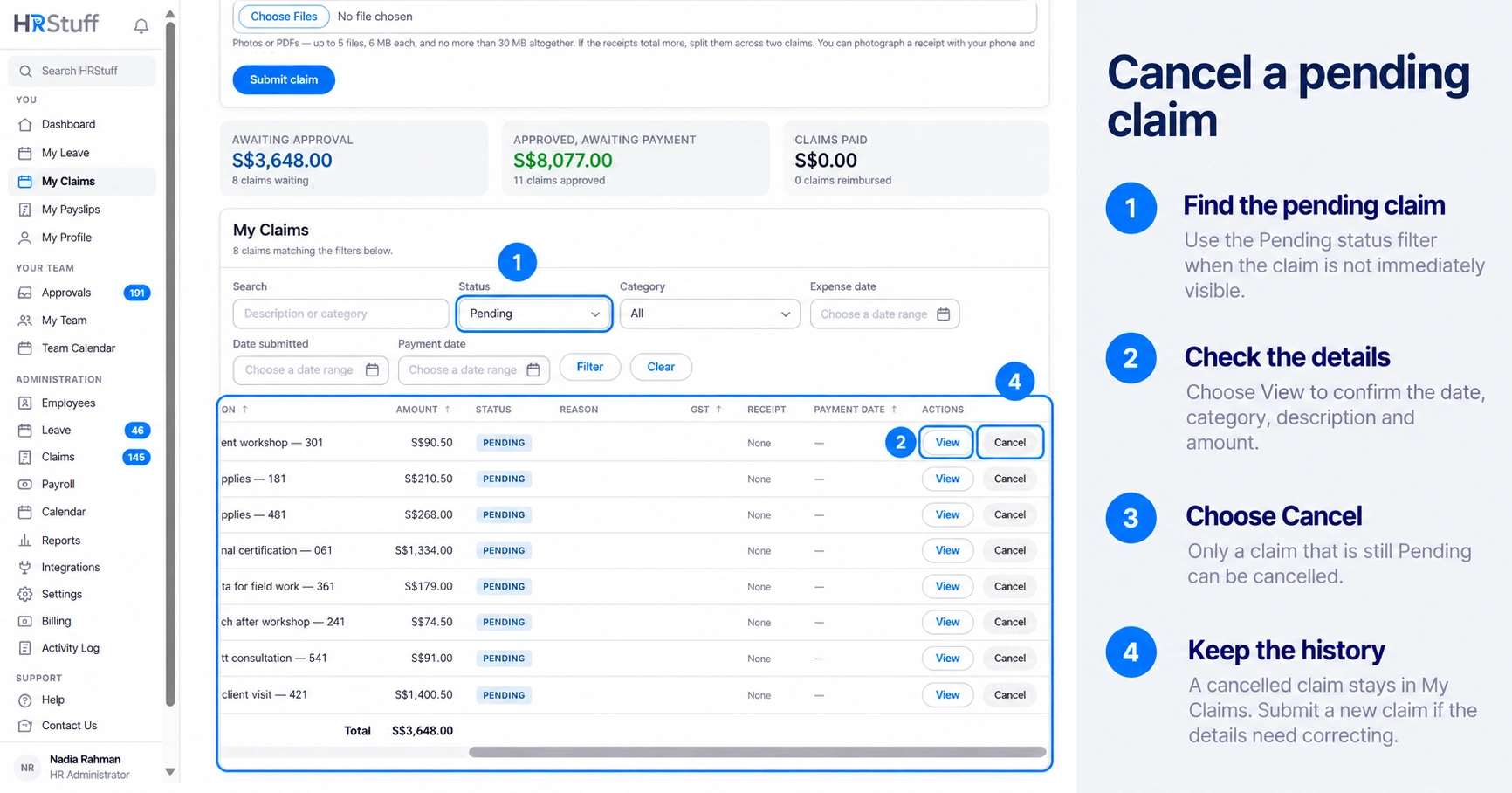
You can cancel your own expense claim while its status is Pending. Cancellation removes it from the approval queue but keeps a Cancelled record, so the company can still see what happened.
Open My Claims, find the pending claim and check its amount, expense date and description before withdrawing it.
When cancellation is appropriate
You submitted the same expense twice.
The amount, date, category or description is wrong and the claim is still pending.
You no longer want the company to reimburse that expense.
The receipt is wrong or unreadable and you need to submit a corrected claim.
Cancel the claim
Open My Claims
Use Search, Status, Category or the date filters if the claim is not immediately visible.
Confirm that the status is Pending
Choose View if you need to inspect the complete record or attached receipt first.
Choose Cancel and confirm
HRStuff changes the status to Cancelled, removes the claim from the approval list and records the cancellation in the Activity Log.
Submit a replacement only when needed
A cancelled claim is not edited back into use. Create a new claim with the corrected details and attach the receipt again.
If an approver acted at the same time
HRStuff changes the claim only when it is still Pending at the moment cancellation is saved. If an approver acted first, their newer decision is kept and the cancellation is refused. Refresh the page to see the result.
Correct a claim that is no longer pending
Contact HR instead of creating another claim to cancel out the first one. An HR administrator can permanently delete an incorrect claim. This also deletes its receipts, while the Activity Log keeps a record of what was removed.